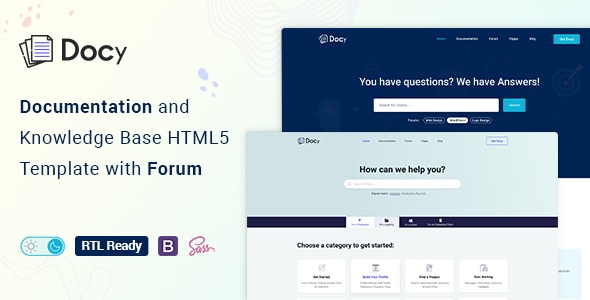
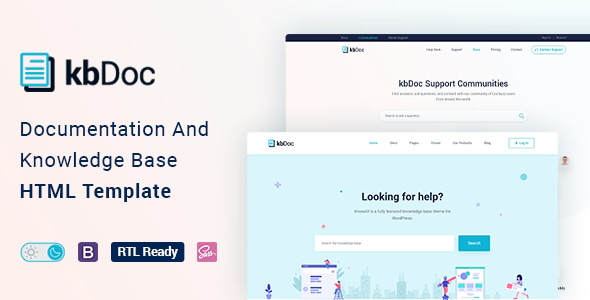
✅ Dark/Light Mode switcher.
✅ Font size switcher
✅ Onepage documentation
✅ Support Center with Forum
✅ Full RTL version included
✅ PSD files included with Images, Graphics

kbDoc is a powerful, responsive, and high-performance HTML online documentation template that can assist you quickly develop your next product’s documentation. It can be used for documenting API, frameworks, plugins, templates, software, user manual, etc. It’s based on Bootstrap 4 and includes a lot of elements to make your interactive documentation easily.
We designed kbDoc for the readers, optimizing not for page views or engagement — but reading. And it turns out that context is a vital part of learning.
kbDoc is not only a template but also a package of tools for creating product documentation in the best way. We followed the best coding practice by maintaining w3.org standards, made it search engine friendly (SEO optimized), perfect on any device (desktop, laptop, mobile, iPad).
Here are some key features of kbDoc that make this template better than other knowledgebase themes.
 Pure Dark Mode that easy on the eyes.

App style navigation menu on the mobile.
- Responsive Layout
- Built with Bootstrap 4.3
- CSS3 & HTML5 validated by w3.org standards
- SCSS files included
- Megamenu
- Semantic coding
- 35+ Pages
- Sticky sidebar
- Full-width layout
- Syntax highlighter
- Button variations
- Typography
- Tabs
- Alerts / Messages / Notes
- Accordion
- Lightbox
- Tooltips
- Carousel
- Directory explanation
- File tree navigation
- Table of content
- Software Change-log
- Property table
- Article feedback
- Responsive video (YouTube, Vimeo, Self-hosted)
- Easy to Customize.
- Bootstrap 4 Responsive Framework
- Unique and Modern Style.
- Super Clear and Clean Layout.
- Awesome and Creative Design.
- Great CSS Animations.
- Search Engine Optimised Code.
- W3C Validated Code.
- Mailchimp integrated.
- Free Google Fonts.
- Free Font Based Icons.
- All Modern Browser Supported.
- Developer friendly code.
- Free Update.
- Well Commented Code
Here are some amazing tools that will help you build your product documentation interactively.
- Dark mode switcher.
- Font size switcher
- Full-width and Box width container-based.
- Article Table of contents (on this page)
- Documentation with sticky and non-sticky header
- Onepage documentation
- Documentation feedback
- Dynamic, informative pre-loader on every page
- Footnotes for doc reference
- Page preview tooltip
- Can I use? for showcasing appropriate and inappropriate options
- Image Hotspot to point out the targeted parts of an image
Sources and Credits
- Icon Font: The Elegant Icon
- Icon Font: fontawesome
- Images Used: Freepik, Unsplash
Contact Support
This store provides 6 months of support for this item. If you have purchased this item and need technical assistance, please open a support ticket.
Support Includes:
- Answering technical questions about item's features
- Assistance with reported bugs and issues
- Help with included 3rd party assets
7 Reviews
View on Spider ThemesRated for Customizability.
Excellent features are available there for using this template as knowledge base website
Rated for Code Quality.
Rated for Design Quality.
Rated for Design Quality.
Great theme with good options and simple customization.
Rated for Feature Availability.
30 comments found.
Hi,
Before buying it, i just wanted to confirm, are you still supporting it?
Hello, what files will be delivered to me when I purchase? How many pages are there, what are the names of these pages? I don't quite understand, can you write it down? For example, can you list it as blog page, FAQ page, landing page?
I have just downloaded the resource https://elements.envato.com/fr/kbdoc-documentation-forum-html-template-HUK5TKM through my envato subscription.
The dropbox link that should provide the PSDs is not working.
Can you fix it so I can download the archive again?
Thank you in advance for your responsiveness.
Great! It's perfect
Thank you for your seriousness.
Hi, how does the search work? I tried searching for a few keywords on the demo pages, but nothing happed - does it even work the search?
is this for elementor
do you have a plugin for wordpress instead of a theme or is there a way to transfer your theme to elementor templates
Hello
It would be nice to have pagination for this template.
how to remove preloaded & other effects?
Hi,the template is really useful to build a website. It's a great piece of hard work. I am working on build a real website based on the template. I am wondering how to remove the animation of some menus and side bars. I guess they are css animation but am not sure which ones are the animation css classes. I have managed to remove the preload picture when the page is loaded, but would like to remove some other animation after the preload picture is removed. for example, there are the following codes in the file named "layout-leftsidebar.html"
how do I remove the animations in the left side bars? I guess these menus are used in desktop and mobile phones at the same time so there are two version of menu codes there.
Thanks a lot.
the piece of code is shown above. Thanks.
div class= " collapse navbar-collapse " id = "navbarSupportedContent"
ul class="navbar-nav menu ml-auto"
Hello
I have found an issue with the template on the layout-full.html page. If you open this page with the browser in full-screen there is no issue but if you exit the full-screen the right sidebar is incomplete.
Screenshot: https://ibb.co/sttkk20
Can you please specify the breakpoint of the screen size you are using? I have checked full width and mobile view. I didn't see any issues. What do you do when you exit the full screen ?
Lots of people use multiple browsers simultaneously and it's easier to switch between them when not in full-screen.
Hi, can I integrate this into my existing website without creating a subdomain? For example uploading it to the subfolder "help" and then people just press on myurl.com/help/ and the help center will open? Would it be possible?