Video Preview
Fully wooCommerce integrated
Dark/Light Mode Switcher.
Theme Auto Update Enabled
Support Center with bbPress Forum
Unlimited Onepage & Multipage Documentations
Gutenberg Optimized
Fully WPML & RTL Compatible
GDPR Ready
Child theme included
PSDs included with Images, Graphics.

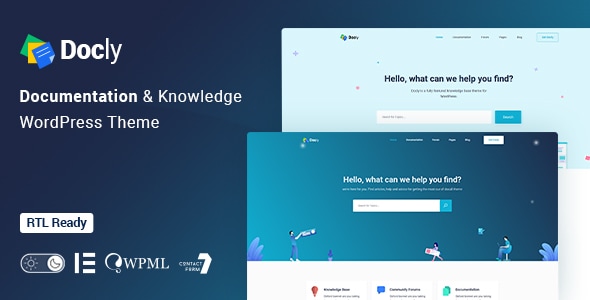
Docly is a powerful, responsive, and high-performance online documentation WordPress theme that can assist you quickly developing your next product’s documentation. You can effectively create documentation for documenting API, frameworks, plugins, software, templates, and any type of product. It includes a lot of elements to make your documentation interactive and efficient. This theme is completely responsive and mobile-friendly.

We designed Docly for the readers, optimizing not for page views or engagement — but for reading. And it turns out that context is a vital part of learning.
Docly is not only a theme but also a package of tools for creating product documentation in the best way. Docly follows the best coding practice by maintaining w3.org standards. We developed the theme search engine friendly (SEO optimized) and perfect on any device (desktop, laptop, mobile, iPad).
Docly Theme Features and Tools
Docly has some amazing tools that will help you build your product documentation interactively and reading-friendly. Here are some key features that make the theme better than other knowledgebase themes.
- Dark mode switcher.
- Font size switcher
- Full-width and Box width container-based doc pages.
- Article Table of contents (on this page)
- Documentation with sticky and non-sticky header
- Dynamic, informative pre-loader on every page
- Footnotes for doc reference
- Page preview tooltip
- Directory indicator
- Conditional content
- Image Hotspot for pointing out the targeted parts of an image
- Responsive Layout
- CSS3 & HTML5 validated by w3.org standards
- 100% Valid and Semantic coding
- 40+ Pages
- Sticky sidebar
- Full-width layout
- Syntax highlighter
- Tabs
- Alerts / Messages / Notes
- Accordion
- Lightbox
- Tooltips
- Carousel
- File tree navigation
- Table of content
- Property tabl e
- Article feedback
- Easy to Customize.
- Bootstrap 4 Responsive Framework
- Unique and Modern Style.
- Search Engine Optimised Code.
- Mailchimp integrated.
- All Modern Browser Supported.
- Well commented code
Sources and Credits
- Icon Font: The Elegant Icon
- Icon Font: fontawesome
- Images Used: Freepik, Unsplash
Changelog
2.4.0 (23 July 2026)
New: Rebuilt license system with dedicated Envato purchase-code and Freemius license handling, AJAX-based activation, and feature gating
Added: New theme settings control for enhanced customization
Added: Sign In/Sign Up ACF field groups
Improved: Register/Verify page rebuilt on the new license system with refreshed markup and styling
Improved: Updated theme setting icons
Improved: WooCommerce My Account login form design
Fixed: Resolved the Forumax notice issue
Fixed: Author page and WooCommerce checkout page UI issues
Fixed: Multiple minor bug fixes and improvements
2.3.2 (29 January 2026)
Added: Antimanual plugin added to required plugins list for improved content control
Improved: Codebase refactored by removing forum-related files, scripts, sidebars, and settings
Improved: Introduced Forumax version check with critical admin notice for outdated installations
Improved: Header styling standardized for Forumax pages with user page color overrides
Tweaked: Forum-related widgets removed from Docly and made available exclusively in Forumax
Tweaked: SCSS and CSS formatting improved, unused styles removed, and assets regenerated
Tweaked: Code indentation and formatting standardized for better readability and maintenance
Removed: bbPress integration fully removed from the theme and migrated to Forumax plugin
2.3.1 (20 December 2025)
Enhanced: Docly license verification handling
2.3.0 (16 December 2025)
New: Jobus plugin integrated for seamless job management functionality
New: AJAX-based license verification added with improved first-attempt validation
Fixed: Cart page button hover color issue resolved
Tweaked: Improved overall compatibility and stability across core features
Tweaked: Minor UI and performance improvements for a smoother experience
2.2.0 (26 November 2025)
New: Classic Menu icon color fields added (Icon Color → Hover Color, Sticky Icon Color → Sticky Hover Color)
Fixed: Prevented empty search submissions in Docly hero search forms
Fixed: Logo display issue
Improved: Breadcrumb padding and shape image positioning
Improved: Hero search form background shape responsiveness
2.1.5 (13 September 2025)
Fixed: Deprecated text domain issue
Fixed: Footer widget alignment issue
Tweaked: Box shadow issue on forum profile resolved
Tweaked: Restored missing dropdown arrow icon in the menu
Tweaked: Improved reply and topic voting button hooks
Tweaked: Enhanced forum user profile on mobile screens
Tweaked: Subscribe widget image upload field issue resolved
2.1.4 (30 May 2025)
New: Keyword style control added in the "Hero Search" widget
Fixed: Deprecation warning by wrapping translatable content in hook
Fixed: Resolved the Testimonials Widget icon issue
Fixed: Resolved the product view cart button design
Fixed: Docs sidebar widget issue resolved
Fixed: CTRT+Click new tab issue
Fixed: Some issues of testimonial Widget
Tweaked: Improved some dark mode issues
Tweaked: Updated the Elementor Deprecated functions
Tweaked: WooCommerce outdated files
2.1.3 (30 September 2024)
Fixed: Topic tag page was showing all the topics not showing by the current tag
Fixed: Blog, Shop, and footer list item design issue
Fixed: WooCommerce Outdate template file
Fixed: FAQs content gap
Fixed: Title typography, color, and description text color in the Alert box widget
2.1.2 (11 July 2024)
Fixed: Solved sidebar issue on the forum page
Fixed: PHP deprecation notice Fixed
Fixed: Topic create as anonymous issue solved
Tweaked: Removed duplicated JS. (same JS exists in EazyDocs)
2.1.1 (06 December 2023)
Fixed: Dropdown menu active color issue
2.1.0 (08 November 2023)
Fixed: Hide Draft Docs from Ajax search result
Fixed: Mobile menu dropdown item
2.0.9 (25 October 2023)
Fixed: Blog post image size issue
Fixed: Child theme when installed and activated, the color codes don't work.
Fixed: Deprecated demo importer plugin functions
Tweaked: Animate (Motion) effects
Updated: wooCommerce outdated template files
Updated: Demo contents
2.0.8 (24 June 2023)
Fixed: Custom JS code was not working
Fixed: Elementor deprecated function error
Tweaked: Removed some unessential attributes from Elementor widgets
2.0.7 (30 December 2022)
Fixed: Uncaught Error: Call to undefined function eazydocs_get_option() in /docly/template- parts/header-elements/search_banner.php:13
Updated: Demo content xml file updated from the new server
2.0.6 (26 December 2022)
Fixed: Parent Theme styles was not working with Child theme
Fixed: Some elementor widgets color issues with dark mode
2.0.5 (06 December 2022)
Fixed: Search form issue solved
Fixed: Single doc dark mode text color issues solved
New: Added faq terms in the search result
2.0.4 (09 September 2022)
Integrated: BBP Core
New: Voting Feature
New: Private Reply feature
2.0.3 (04 July 2022)
Tweaked: Compatibility with EazyDocs improved
Updated: Theme Settings demo content
2.0.2 (24 June 2022)
Tweaked: External link styled differently
Tweaked: Compatibility with EazyDocs improved
2.0.1 (14 June 2022)
Fixed: JS console error on the docs and OnePage doc pages
Fixed: Child Theme's style was not overriding the main theme's style
Updated: Docly Child theme to 1.1.1 version (included in the theme package)
Tweaked: Compatibility with EazyDocs improved
2.0.0 (10 June 2022)
Update Notice/Guide: https://tinyurl.com/2aaux85v
BIG CHANGE: weDocs plugin replaced with our own EazyDocs plugin (https://wordpress.org/plugins/eazydocs/)
Altered: OnePage Doc creation system moved to EazyDocs plugin (the old method is still working)
Moved: Doc Settings removed from Theme Settings and moved all the Doc related settings to the EazyDocs plugin
Tweaked: Bootstrap version upgraded to v5.1.3 from v5.0.0-beta3
1.5.4 (7 April 2022)
Fixed: Elementor notice about typography
1.5.3 (21 January 2022)
Fixed: Doc link was not working if doc slug change in the "(Docly) Docs List" WordPress widget
Fixed: Forum topics page breaks if no topics found.
Fixed: Docly child theme's stylesheet (style.css) was replacing the main theme's style.css (docly-child.zip included in the theme package)
Tweaked: Blog single post title tag changed to h1 from h2
1.5.2 (10 November 2021)
New: Custom Fonts support added
Fixed: Forum user profile Favorites
Tweaked: Removed filters from Forum user profile page (filters is not suitable there)
Tweaked: Sticky, Closed status badges added to Forum Topics
1.5.1 (17 October 2021)
Tweaked: Articles Title string changing option added to Theme Settings > Doc Settings
Tweaked: "FAQ Tabs" Elementor widget (Category Order and Order by options added under the Filter tab)
Tweaked: Post status published posts will show on doc ajax search results
Fixed: Docs label was not changing along with the docs slug change from Theme Settings > Doc Settings
Fixed: Github social icon was not showing
Fixed: Forum Topic Replies (last reply was not showing and +1 reply count was showing in the pagination)
1.5.0 (30 September 2021)
New: Custom Posts options added to the Theme Settings > General page
Fixed: Continue Reading Label text was not changing on Blog Grid Category layout
Tweaked: Breadcrumb structure (docs section link added)
Tweaked: Performance improved. wc-block-style and wc-block-vendors-style disabled by default. You can enable it from Theme Settings > Shop > Gutenberg Blocks
1.4.9 (12 September 2021)
New: [authors] shortcode added for viewing all authors of the website
Tweaked: Header Navigation colors, Menu active/hover states
Tweaked: Made the Header nav container consistent with the Doc page layout on the Doc single page
Tweaked: Blog pages (featured post shadow, Post title on post details page)
1.4.8 (11 September 2021)
Fixed: Forum freshness (who was last active in a forum) link was not showing correctly
Tweaked: Menu color made black on the Archive page.
Tweaked: Author post archive page (author description shown below to the author name)
1.4.7 (26 August 2021)
Tweaked: wpml-config.xml file updated with still_stuck_text, help_form_link_text, doc_feedback_label
Tweaked: views text made translatable
1.4.6 (20 August 2021)
Fixed: Theme's default brand color scheme was not showing in Firefox
Fixed: Tooltip popups were not appearing.
Fixed: Author links of Forum Reply on Forum Topic page
Tweaked: wp-custom.js file merged to main.js file in the docly > assets > js folder
Tweaked: Shop (product image linked in shop page, product gallery border color changed to brand color)
New: Global Search settings added to Theme Settings > General (Ajax Search, Focus Search by "/")
New: Doc Meta show/hide option added to Theme Settings > Doc Settings
1.4.5 (10 August 2021)
Fixed: Page content appearing on Main Menu dropdown item hover when you have Mega Menu
Tweaked: Product details page (Gallery carousel and magnify glass enabled for product images, Product Add to Cart and Review form design improved)
Updated: Language (docly.pot) file
Updated: New support center URL updated https://docs.creativegigs.net/forum/docly-wordpress-theme/
1.4.4 (30 July 2021)
Tweaked: Docs archive page linked in the breadcrumb.
Tweaked: Docs archive page design ([wedocs] shortcode output)
Fixed: The search keyword showing at the append of "Search result for:" text on the Search Results page.
1.4.3 (19 July 2021)
New: Shop settings added under Theme Settings page
Tweaked: Products, Product Categories, Filter by Price, Product Search widgets style improved
Tweaked: Search Banner placed instead of the Titlebar on the Shop and Product details page
Fixed: Product image sizes (you need to regenerate the product images to get the sizes fixed)
1.4.2 (14 July 2021)
New: wooCommerce support enabled with Shop, Cart, Checkout, My Account pages
New: Author name and Doc post views added bellow to the Doc Title
New: Breadcrumb Show/Hide and Date Published, Modified options added to Theme Settings > Header > Search Banner
Updated: docly-core-en_US.pot in the Docly core plugin
Tweaked: Blog posts shadow (used more accurate subtle shadow)
Tweaked: Search in bbPress forums from the Forum archive page's Search Banner.
Tweaked: The "Focus Search by /" option moved to Theme Settings > General from Theme Settings > Doc Settings > Search Banner
1.4.1 (05 July 2021)
Fixed: When you unfold the doc section tree, the section title jumps a line and this happens only since the last theme update.
Fixed: Doc Right Sidebar's widget content overflows on sticky mode (desktop screen)
Fixed: Doc Right Sidebar overflows on sticky mode on tablet screen
Fixed: Doc Feedback form not working on mobile
Tweaked: Doc Feedback area and the Comment form view improved on mobile
Tweaked: Doc Right Sidebar show hide Toggle arrow added on mobile view
1.4.0 (25 June 2021)
Tweaked: Onepage navigation
Tweaked: Made the "No Results Found" text translatable.
Fixed: New Metaboxes not updating
1.3.9 (21 June 2021)
Fixed: When you unfold the doc section tree, the section title jumps a line and this happens only since the last theme update.
1.3.8 (10 June 2021)
Tweaked: Shortcode support enabled for the "Docy List Items" Elementor widget
Fixed: When click on the subjects below on the doc details page, the banner stick hides the text
Fixed: Documentation section text cutting off when it's long
1.3.7 (21 May 2021)
Tweaked: Title tag option added in the Quote Elementor widget
New: vk social option added to Theme Settings > Social Links
Fixed: Onepage Doc width
1.3.6 (12 April 2021)
Fixed: Closed, Open tabs fixed
New: Search Keywords and Ajax search enabled in Hero 3 (Helpdesk)
New: Doc Right Sidebar widget area added to Appearance > Widgets
New: "Right Sidebar Content" option for Onepage docs.
Tweaked: Explanation design of Notice widget (text color changed)
Tweaked: Password Protected Doc design (the password form redesigned)
1.3.5 (05 April 2021)
New: Best Answer and Mark as Solved features added to Forum topic (Doc https://is.gd/K1FLSw)
New: Admin links (Edit, Merge, Close, Stick (to front), Trash, Spam, Unapprove, Reply) added to Forum Topic page
Tweaked: Forum topic page design
Tweaked: Performance Improved by optimizing assets (bbPress CSS, JS separated and loading by dependency and responsive.css, responsive2.css files merged to one single file)
1.3.4 (19 March 2021)
Tweaked: "Docly List Item" Elementor widget (Steps Indicator control added, WYSIWYG editor enabled in the text field)
Tweaked: "On This Page" titles line-height reduced and margin added to make consistent spacing for long titles.
Tweaked: Deleted the extra Doc Icon field from "Options :: Doc" metabox fields to get rid of confusion using the featured doc image.
Tweaked: Moved the Docly Core plugin moved to the server to reduce the theme size
Fixed: A flush on clicking on the article title in the Ajax Search results.
1.3.3 (09 March 2021)
Fixed: Dark Mode switcher not working
Fixed: Font Size Switcher not showing in the OnePage doc
New: Theme version added to the "docly-version" meta tag in the header.php file
1.3.2 (08 March 2021)
New: Secondary Color and Paragraph Color added to Theme Settings > Color Scheme
Tweaked: Accent Color output (now, the accent color will change more accurately)
Tweaked: "Theme Settings > Doc Settings > Right Sidebar > Light/Dark Mode" option (This option will permanently disable and delete the Dark mode and will keep only the light mode.)
Tweaked: Forum User Profile page
Fixed: Topics Started, Replies Created, Favorites, Subscriptions tabs fixed in the Forum user profile page
Updated: Language file (docly.pot file in the languages folder)
1.3.1 (06 March 2021)
New: Theme Auto-update feature on Registering/Verifying the theme.
Tweaked: "Hero" Elementor widget (Padding control added for the Cool Hero, Popular Topics deleted as it was unnecessary)
Tweaked: Dropdown menu's submenu position
Tweaked: Custom Doc Ordering options and Active Doc option added under Filter (Now you can order the doc tab items as your desired order and choose the active tab item)
Tweaked: "Theme Settings > Color Scheme > Accent Color" option (added some missing brand colors selectors those were not changing)
Tweaked: CSS variables used for colors in the theme's root style.css file
Tweaked: "List Style" Elementor widget
Tweaked: Forum user profile design improved
Fixed: Menu colors output not working as settings roles from Theme Settings > Menu > Classic Menu
Fixed: Js console errors on OnePage Doc
Fixed: Simple Footer background color and font colors not changing from Theme Settings > Footer > Background / Font Colors
1.3.0 (25 February 2021)
Tweaked: "Process Tabs" Elementor widget (dependency set to the Bottom content).
Fixed: Removed the unfinished Gutenberg blocks
1.2.9 (05 February 2021)
Tweaked: Moved the "Focus Search by /" setting from Theme Settings > Header > Search Banner" to "Theme Settings > Doc Settings > Search Banner" and a new description was added.
Tweaked: Responsiveness of the theme
Tweaked: Onepage navigation (active color added to nav title on scroll to a specific doc section and parent doc expand on scroll)
Fixed: Ajax doc search results in mobile view
Fixed: Doc Feedback contact form send button not working
1.2.8 (07 January 2021)
New : Search Form in the Onepage documentation
Tweaked : Code syntax highlight feature enabled in the Onepage documentation
Updated : Theme language file (.pot)
1.2.7 (04 January 2021)
Tweaked : "Enable Pre-loader" on and "Page IDs" options added in "Theme Settings > Preloader" page
Fixed : Image Hotspot widget's pointer position
Notice : If you get a Critical Error from 1.2.6 update, delete the old "CG Redux Framework" plugin. Then install it from "Appearance > Install Plugin"
1.2.6 (27 December 2020)
Tweaked : Ajax Doc Search structure and design
Fixed : Forum Archive Call to Action button not showing while logged in
New : Theme Settings > Doc Settings > Search
New : Post/Page preview popup (to enable this feature in link, add the class="tooltips" data-tooltip-content="#popup_view" attributes in anchor tag. And the URL should be the same website URL.)
Contact Support
This store provides 6 months of support for this item. If you have purchased this item and need technical assistance, please open a support ticket.
Open Support TicketSupport Includes:
- Answering technical questions about item's features
- Assistance with reported bugs and issues
- Help with included 3rd party assets
35 Reviews
View on Spider ThemesRated for Other.
I had a persistent error installing a couple of Docly's required plugins, and the author responded with a full and effective solution within a day. Great turnaround time and solved the problem in one shot - great service!
Very responsive team that provide value support and advice along the way as we setup our theme. Provide prompt bug fix that ease our process of theme setup. Trust these guys to get their job done!
I had an issue with my WordPress setup and the Docly team fixed it extremely fast. Their support was clear, professional, and very efficient. Within no time the problem was solved. I really appreciate their quick help and can highly recommend their service!
Their response is very fast compared to other theme developers in. my experiences.
You get a lot for what you pay, and on top of that a very dedicated customer support, which is quite rare!
The theme is very beautiful and works great and the customer support is also very responsive, friendly and you always get an answer that helps.
theme have many many issues in compatibility with another plugins, starting from Elementor to WPML to EazyDocs itself.
You must work harder in your code and really have to give your support a look! you don't have support at all!
Great & Fast Support
Nice Design
Great theme. I've been using it with the developer's EazyDocs plugin. The two of them combined make for an excellent document management system in Wordpress. Highly recommended.
209 comments found.
hello. Pre-sale questions -
1. Can i fill out custom fields and when click "save" to download this filled document as a pdf file for example? Or if i install similar plugins to do that, will they be compatible with the theme?
2. Can i upload documents?
3. Can i create custom fields in the profile?
4. Can the theme work with Profile builder plugin and ACF?
Thank you!
Hi there, I have already download all demo import. But I don't know how to create front page like your live preview
https://wordpress-theme.spider-themes.net/docly/?_gl=1ffzvz_gaMTU1MTgzMTc4NS4xNzI2MTQ1NTkw_ga_LJ65V2ZDSYMTcyNjE5MDc1MS4zLjEuMTcyNjE5MDc4OS4wLjAuMA..
I want detail information about how to setting front page like your live preview
https://wordpress-theme.spider-themes.net/docly/?_gl=1ffzvz_gaMTU1MTgzMTc4NS4xNzI2MTQ1NTkw_ga_LJ65V2ZDSYMTcyNjE5MDc1MS4zLjEuMTcyNjE5MDc4OS4wLjAuMA..
I already see your tutorial, but I don't have how to setting my front page like your live preview
Info Page Name or Post Name like your live preview. If I don't have Page or Post how to download it?
I also send ticket on your ticketing
https://themeforest.net/user/creativegigs
Thanks for your response. But in my Homepage we don't have the Home Cool which is your procedure I already done
I switch to send your email address [email protected]
Thanks for your support. Nice support
How can I translate header content from theme setting?
Logo, Action button, and Search banner!! They are untranslatable.
I contacted support 3 days ago and no-one answered me!
I'm using WPML and all strings in theme setting are not affected whatever I tried to translate it.
I'm sorry for that, god bless you
Support doesn't answer me!
I need to solve strange something in WPML Menu language switcher as you see in next screenshot: https://app.screencast.com/s4aLnaEktoMzi
Language name duplicate! This a strange thing and first time to see it and can not find a solution to it!
WPML Support lead me to contact theme's support.
Hope someone answer me, I see you answer after a months on last comments!
please check: https://app.screencast.com/0HrpQwzhXybuX
why you say that your them Fully WPML & RTL Compatible?
https://app.screencast.com/aqPmlcxhz79ec
https://app.screencast.com/9wdd9zb2OTb8O
I solve it with custom CSS code - but you have to solve your issues with WPML they say your theme is not supported theme for them and you have to contact them to add your theme in their list https://app.screencast.com/aqPmlcxhz79ec
PreSale question: EazyDoc Pro plugin included ?
How can I redirect users to their previous URL after login?
Is it possible to show only items from a category in the menu, to focus visitors' attention on that specific category?
Not a great start! Just purchased and the register or validate to access is not working. I've entered the purchased code and it says Purchase Code Invalid. I made sure there are no trailing spaces or characters.
I'm pressed for time. Please assist.
It just went through. Hoping for the best moving forward.
More issues. The theme appears not to be compatible with Tutor LMS, I have tutor LMS pro and prefer the Docly look or the Tutor starter look with Ezdocs. I'm not a fun of Docy layouts and the associated high cost for the 3 features listed as the difference - which I don't quite need.
How do we resolve? I went over the differences between Docy and Docly on your site and didn't see mention of Tutor LMS support as a difference, and the only demo I saw with the Tutor looked exactly like the starter file.
Is there any support for the product? - Kindly cancel and refund. I am pressed for time. I might as well try another vendor.
Authors who are truly committed to support answer the questions and assist wherever they can. I find many of my support needs from other peoples past experiences which makes theme forest ecosystem thrive and cuts out repeat work— DRY. When you solve this issue here another person will benefit.
Since you have not answered here or made any attempt to solve, I doubt your goal is truly support but to pass the buck. Kindly refund.
The minute we activate the docly plugin the admin shuts down. Ezdocs also shuts down. We are really on a time crunch here. Please assist with direction or refund.
Since you have bundled tutor lms with Docy version, I'm sure you know about this error. How can we solve this?
Hello im interested in buying your template but I I have a question first, is it possible to remove the search bar from the main page? ( https://prnt.sc/6ElkXMfG5Ybq ) or remove the space? because I wanna show Documentations under the search bar without having to scroll all the way to the bottom. Thanks.
Thanks for your query.
Yes, it's absolutely possible to remove the search bar from the main page. You can do it with drag-n-drop page builder.
is the drag-n-drop page builder included with the theme?
Surprirse, surprise.... Yet another garbage theme that cannot get things properly done
When enabling plugins en masse, errors arise, because the theme admins cannot properly test out their own classes before passing arguments to wordpress
PHP Fatal error: Uncaught ArgumentCountError: 3 arguments are required, 2 given in /home/user/domains/domain/public_html/wp-admin/includes/class-bulk-upgrader-skin.php:162nStack trace:n#0 /home/user/domains/domain/public_html/wp-admin/includes/class-bulk-upgrader-skin.php(162): sprintf()n#1 /home/user/domains/domain/public_html/wp-content/themes/docly/inc/tgm/class-tgm-plugin-activation.php(3612): Bulk_Upgrader_Skin->after()n#2 /home/user/domains/domain/public_html/wp-admin/includes/class-wp-upgrader.php(921): TGMPA_Bulk_Installer_Skin->after()n#3
/home/user/domains/domain/public_html/wp-content/themes/docly/inc/tgm/class-tgm-plugin-activation.php(3232): WP_Upgrader->run()n#4 /home/user/domains/domain/public_html/wp-content/themes/docly/inc/tgm/class-tgm-plugin-activation.php(3345): TGMPA_Bulk_Installer->run()n#5 /home/user/domains/domain/public_html/wp-content/themes/docly/inc/tgm/class-tgm-plugin-activation.php(2951): TGMPA_Bulk_Installer->bulk_install()n#6 /home/user/domains/domain/public_html/wp-content/themes/docly/inc/tgm/class-tgm-plugin-activation.php(717): TGMPA_List_Table->process_bulk_actions()n#7 /home/user/domains/domain/public_html/wp-includes/class-wp-hook.php(324): TGM_Plugin_Activation->install_plugins_page()n#8 /home/user/domains/domain/public_html/wp-includes/class-wp-hook.php(348): WP_Hook->apply_filters()n#9 /home/user/domains/domain/public_html/wp-includes/plugin.php(517): WP_Hook->do_action()n#10 /home/user/domains/domain/public_html/wp-admin/admin.php(259): do_action()n#11 /home/user/domains/domain/public_html/wp-admin/themes.php(10): require_once('...')n#12 {main}n thrown in /home/user/domains/domain/public_html/wp-admin/includes/class-bulk-upgrader-skin.php on line 162n
"We assure you that our theme undergoes rigorous testing"
That's not true. if it WAS, I wouldn't be seeing this obvious error in your theme just after installation. Nice try though
No, I'm not going to submit anything to you. You have enough information, you just don't want to test and fix the error, as usual
yeah, no. You just refuse to actually fix the issue. Not a surprise