✅ Full Elementor, Elementor Pro and PRO Elements compatibility
✅ Gutenberg Optimized
✅ WPML & Multilingual supported
✅ RTL supported
✅ Lifetime Access & Free Updates.
✅ 06 Month Premium Support.


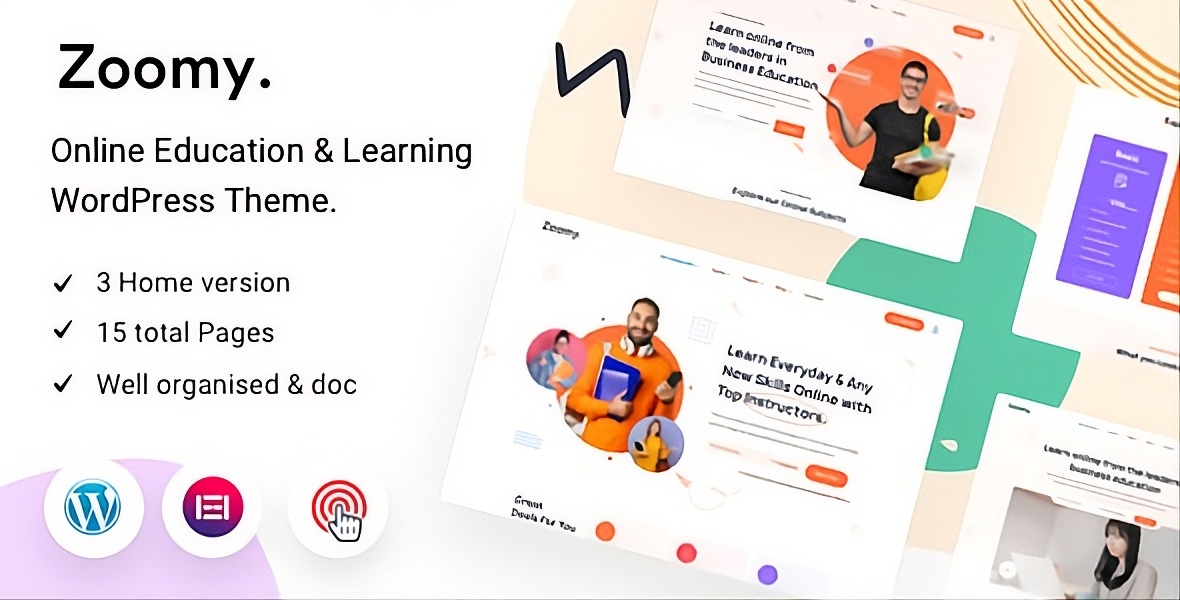
Zoomy is a clean, modern and unique WordPress theme that has beautiful design and unique features. This will be the best suited for your educational purpose website like university, college, school, kindergarten, online courses, blog, academy, courses, education, education center, education WordPress, tuition, tutoring, business, events, institute, learning, teacher and much more.
This template is suitable for Education Course Learning Management System website. Zoomy template has a fully responsive layout. It fits perfectly on various displays and resolutions from regular desktop screens to tablets, iPads, iPhones and small mobile devices.


Features at a Glance:
- One click installation:
Install Zoomy with our powerful one click installer. Get your site up and running in no time! Quick, easy and rocket fast! - Responsive & retina ready:
Look of your website on mobile devices is very important these days. So we made sure Zoomy looks great both on mobile, desktop and retina screens! - WPML & Translation Ready:
Zoomy is compatible with most popular WordPress plugin that supports creation of multilingual layouts. Translate your website to any language with WPML! - Compatible with Contact form 7:
Zoomy is compatible with the most powerful and most popular custom contact forms WordPress widget! create your own forms in seconds! - Crossbrowser compatibility:
It looks great among all major browsers
Features List
- Fully featured course pages
- Amazing Elementor Widgets
- Custom course Widgets
- LearnPress Supported
- Built with Elementor
- Easy to Customize.
- Bootstrap 5 Responsive Framework.
- Unique and Modern Style.
- Search Engine Optimised Code.
- Clean & Modern Style.
- Well Documented.
- Well Organized Layers.
- WOW and AOS animation used.
- Developer friendly
- Fully Customizable.
SOURCES & CREDITS
- Bootstrap
- Google Fonts
- Stroke Icons from Flaticon
- FontAwesome
- Animate
- AOS Animation
- Unsplash
1.2.1 (May 01, 2026)
- New: Added Antimanual plugin to the required plugins list
- New: Integrated Jobus plugin with the Zoomy theme
- Fixed: Resolved the single page header issue in the EazyDocs plugin integration
- Updated: Updated the Twitter icon to the latest branding
1.2.0 (July 31, 2025)
- New: Added support for live sessions
- New: Integrated EazyDocs plugin with the Zoomy theme
- New: Integrated Advanced Accordion Gutenberg Block plugin with the Zoomy theme
- New: Added new FAQ, Login, Documentation, and Blog pages to the Zoomy theme demo
- Fixed: Deprecated text domain issue fixed by wrapping opt-config.php in a hook
- Fixed: Instructor Profile design issue resolved
- Fixed: Zoomy Instructor widget thumbnail image issue resolved
- Fixed: Zoomy menu issue resolved
- Tweaked: Improved CSS styling for the course single page button
- Updated: Demo XML updated. Re-import the demo to get the new pages
1.1.0 (January 16, 2025)
- New: Added custom review form instead of third-party plugin
- Fixed: Course page & category page loading issues resolved
- Fixed: Instructor profile visibility issue resolved
- Fixed: Some backdated issues
- Tweaked: Removed course review plugin from TGM
1.0.5 (July 09, 2024)
- New: Added Spider Elements plugin – offers 20+ more widgets
- Tweaked: Compatible with WordPress Latest Version (6.5.4)
- Fixed: Deprecated some functions in the Elementor widgets
- Fixed: Deprecated some functions in the demo importer
- Removed: Pro Elements from the Zoomy Core plugin
1.0.4 (May 16, 2023)
- Fixed: ACF plugin source URL updated (was causing certificate issues while installing)
- Fixed: Responsive issues
- Fixed: Instructor profile rating style
- Tweaked: One click demo import contents updated
1.0.3 (27 June 2022)
- New: Added Child Theme (included in the theme package)
- Fixed: Lesson title was trimming automatically on course details page
- Tweaked: If right sidebar content is empty on the course details page, the main content area will take full width
1.0.2 (24 June 2022)
- Removed: Pro Elements plugin removed from required plugins list
1.0.1 (24 May 2022)
- Fixed: Reduced pagination of extra spaces
- Tweaked: Section heading improved
- Tweaked: Widget title improved
- Tweaked: Course and blog meta improved
- Tweaked: One click demo import contents updated
Contact Support
This store provides 6 months of support for this item. If you have purchased this item and need technical assistance, please open a support ticket.
Open Support TicketSupport Includes:
- Answering technical questions about item's features
- Assistance with reported bugs and issues
- Help with included 3rd party assets
1 Review
View on Spider ThemesThe mobile menu wouldn't work on the theme. No big deal—things happen—however, after 3 weeks they still haven't responded to me or offered a solution. This is delaying my launch and costing me money. Avoid this developer unless you absolutely don't need theme support.
11 comments found.
Is there a demo for RTL version so I can try it before purchasing?
i am having issues with the profile page not displaying and no room for student login on the theme. i need to fix this as soon as possible.
how do i go about that?
i have not gotten any response for hours now
Hi. Is it possible to use mega menu in this theme?
The Theme says it's compatible with Elementor Pro, but every time I try to activate it, it says there' a fatal error and Elementor Pro can't be activated. Just another issue in a long line of issues with this theme.
Elementor Pro will only activate if Zoomy Core is deactivated, and then it won't activate while Elementor Pro is active. Is this theme ever going to get an update for 2024?
The zoomy core plugin doesnt work and parses alot of errors (((
https://drive.google.com/file/d/1OAZwHkckIm-riX0MbF93gGizfozXFWRS/view?usp=sharing
Thank you
You need authorization to enter. How do I log in?
Yes, I bought the template from https://elements.envato.com/
Please write me your email so that I can contact you directly, not in the comments. It's very time-consuming, and I need to make a website!
The mobile menu is not working for me: https://jakapa.bandbmedia.com/
How do I open a ticket?
Austin Bollinger
B&B Media
Correct, the mobile menu will not open when the hamburger menu is clicked. I submitted a ticket.
How is this ticket coming along? It's been 6 full days since your last response.
Three weeks and no solution. Nothing. No response. I'm reporting you to Envato. This is ridiculous. I've been waiting to launch this site and have to delay it thanks to you.
I figured it out on my own, no thanks to you. It would seem if the "Back to Top" feature is set to hidden, the mobile menu breaks. You're welcome. Thanks again for nothing.
I had to remove the following from pro-elements.php to be able to active Zoomy Core and Elementor Pro:
pro_elements_plugin_load_plugin();
function print_error( $message ) {
if ( ! $message ) {
return;
}
// PHPCS - $message should not be escaped
echo '' . $message . ''; // phpcs:ignore WordPress.Security.EscapeOutput.OutputNotEscaped
}
zoomy-core > inc > third-party > pro-elements
Please update your plugin!
Hello, today I installed Zoomy wordpress theme and I have problem with main menu. Main menu position is incorect and I can't change it.
Thank you for answer. Here is link for screenshot https://prnt.sc/jbFtQqljcZXO
The zoomy core plugin doesnt work and parses alot of errors
error message after installation: The plugin generated unexpected output
I have purchased the theme and customisation is becoming very hard and not easy. For example If if want to change the primary color from orange to blue it is not able to change globally, it need to be changed from section to section and element to element.
Can we have the simpler way for this
pre sales question
1. does this site has child theme?
2. Does the blog and archive posts have an option to change the view to grid view?
OK, I am planning to purchase today
Also, can we have one more layout for course details page, because the lessons are placed on the right side of the page. If the page is empty with left content, it might not look good.
Also, if the lesson name is long not able to see the complete name.