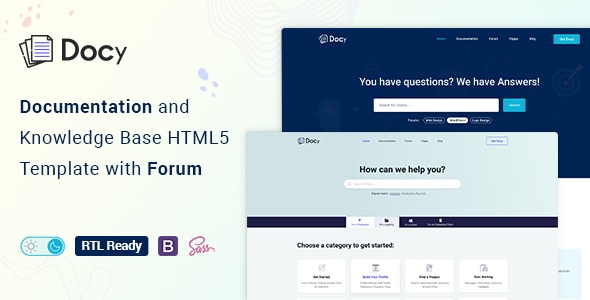
✅ Dark/Light Mode switcher.
✅ Font size switcher
✅ Onepage documentation
✅ Support Center with Forum
✅ Full RTL version included
Docy is a powerful, responsive, and high-performance HTML online documentation template that can assist you quickly develop your next product’s documentation. It can be used for documenting API, frameworks, plugins, templates, software, user manual, etc. It’s based on Bootstrap 4 and includes a lot of elements to make your interactive documentation easy.

We designed Docy for the readers, optimizing not for page views or engagement — but reading. And it turns out that context is a vital part of learning.

All the pages has pure dark mode that easy on the eyes.

Scrollable Onepage Documentation
Docy is not only a template but also a package of tools for creating product documentation in the best way. We followed the best coding practice by maintaining w3.org standards, made it search engine friendly (SEO optimized), perfect on any device (desktop, laptop, mobile, iPad).
Tools and Functionalities
Here are some amazing tools that will help you build your product documentation interactively.
- Dark mode switcher.
- Font size switcher
- Full-width and Box width container-based.
- Article Table of contents (on this page)
- Documentation with sticky and non-sticky header
- Onepage documentation
- Documentation feedback
- Dynamic, informative pre-loader on every page
- Footnotes for doc reference
- Page preview tooltip
- Can I use? for showcasing appropriate and inappropriate options
- Image Hotspot to point out the targeted parts of an image
Features
- Responsive Layout
- Built with Bootstrap 4.3
- CSS3 & HTML5 validated by w3.org standards
- SCSS files included
- Megamenu
- Semantic coding
- 40+ Pages
- Sticky sidebar
- Full-width layout
- Syntax highlighter
- Button variations
- Typography
- Tabs
- Alerts / Messages / Notes
- Accordion
- Lightbox
- Tooltips
- Carousel
- Directory explanation
- File tree navigation
- Table of content
- Software Change-log
- Property table
- Article feedback
- Responsive video (YouTube, Vimeo, Self-hosted)
- Easy to Customize.
- Bootstrap 4 Responsive Framework
- Unique and Modern Style.
- Super Clear and Clean Layout.
- Awesome and Creative Design.
- Great CSS Animations.
- Search Engine Optimised Code.
- W3C Validated Code.
- Mailchimp integrated.
- Free Google Fonts.
- Free Font Based Icons.
- All Modern Browser Supported.
- Developer-friendly code.
- Free Update.
- Well Commented Code
Sources and Credits
- Icon Font: The Elegant Icon
- Icon Font: fontawesome
- Images Used: Freepik, Unsplash
Changelog
1.2.1 (18 July 2024)New: Added RTL version1.2.0 (17 June 2023)
Tweaked: Dark mode colors improved (major improvements done)1.1.4 (26 August 2021)
Tweaked: Blog Details 02 page
Tweaked: Dark Mode
1.1.3 (08 August 2021)
New: Blog Details 02 (Full with a sticky table of contents) - https://tinyurl.com/yfkqcjbr
Fixed: Google fonts not loading
1.1.2 (29 March 2021)
Tweaked: Template overall design
Tweaked: Changed some HTML structure
1.1.1 (10 March 2021)
Tweaked: Search Banner (Background color changed and background image used instead of the two separate images in the background.)1.1.0 (02 March 2021)
New: Creative Helpdesk and Contact pages added
Tweaked: Menu and files re-organized and renamed
Contact Support
This store provides 6 months of support for this item. If you have purchased this item and need technical assistance, please open a support ticket.
Support Includes:
- Answering technical questions about item's features
- Assistance with reported bugs and issues
- Help with included 3rd party assets
1 Review
View on Spider ThemesHello,
24 comments found.
purchase code doesn't work to access support. I bought the html/css version of docy but seem to only have access to the wordpress version.
Is the forum functional? like you can signup and everything works? If not, do you have any recommendations for this?
Hi, i purchase "Docy - Documentation And Knowledge Base HTML5 Template" in themeforest and download it, but cant find any RTL page or assets for RTL support.
pls help to switch RTL for Docy HTML theme.
Can you give a timeline for the RTL to be ready?
Hello, about the font size switcher, on the onepage.html I noticed the font size setting is not saved when the page is refreshed. Do you provide instructions with the template to do this ?
Hello,
I am trying to ask you in your form, but I couldn't post the question, keeps giving me errors.
I am writing here:
I purchased Docy - Documentation And Knowledge Base HTML5 Template with Helpdesk Forum html theme from https://codecanyon.net/.
I noticed that there is a bug in the scroll left menu, when you are scrolling down, you can't see the latest item, it seems hidden under the footer.
I am testing the page called: doc-layout-banner-empty.html
Image 1.png shows the menu and the footer without zooming out for the page, and the latest item is Account.
Image 2.png, showing the menu with zoon out for the page and you can see the latest items Sign in.
If that is possible to fix the bug or send me how to fix it would be great.
Thank you and have a good day
Thank you for your reply.
The email has been sent to the mentioned email with all requested media.
have a great day.
It has scss built in?
But jQuery not working properly in merged file.
It is something like:
ERROR Failed to compile with 5 errors friendly-errors 08:05:13
These dependencies were not found: friendly-errors 08:05:13
friendly-errors 08:05:13
* jquery in ./assets/bootstrap/js/bootstrap.min.js, ./assets/magnify-pop/jquery.magnific-popup.min.js and 2 others
* jquery-mousewheel in ./assets/mcustomscrollbar/jquery.mCustomScrollbar.concat.min.js
friendly-errors 08:05:13
To install them, you can run: npm install --save jquery jquery-mousewheel
Hello is the HTML template support RTL and dark mode?
Hello
The left menu has only 1 submenu. Is this possible to have more than 1 level of submenus?
Screenshot: https://pasteboard.co/PUtPDgSO8Fmm.png
Hello, how can I have the wordpress version of the theme. I have downloaded the zip but ut does not work for wordpress. and the link provided on the comments does not work. Thanks
Hi,
How can I locate actual documentation on your template. Right now your documentation in the folder isn't useful to figure out what styles I am missing when trying to implement just a portion of the page. I can't find any real documentation at all. Most templates have a website with full documentation or real details in the template.
Hello, this is the documentation for the Wordpress version of your theme. I purchased the HTML version.